Check any page in place
Review the page that is already open in Chrome instead of copying text into a separate tool.
Chrome extension for website spell checking and proofreading
Use the extension for fast page checks while you browse. It highlights likely errors on the page, surfaces suggestions in the popup, and points you back to the full app when you need a broader scan.
Please wait while we check your website for spelling errors, grammar mistakes, and more. This may take a few moments...
Enter any page URL to run a quick spell check in the main app. Use this when you want results right away without installing the extension first.
Includes 1 free page scan per site.
Review the page that is already open in Chrome instead of copying text into a separate tool.
Potential misspellings are highlighted on the page so editors, marketers, and clients can see the problem immediately.
Open the extension popup to inspect flagged text, review context, and move through fixes without digging through the page.
Use it before launch, during approvals, or in client review when a full crawl would be overkill.
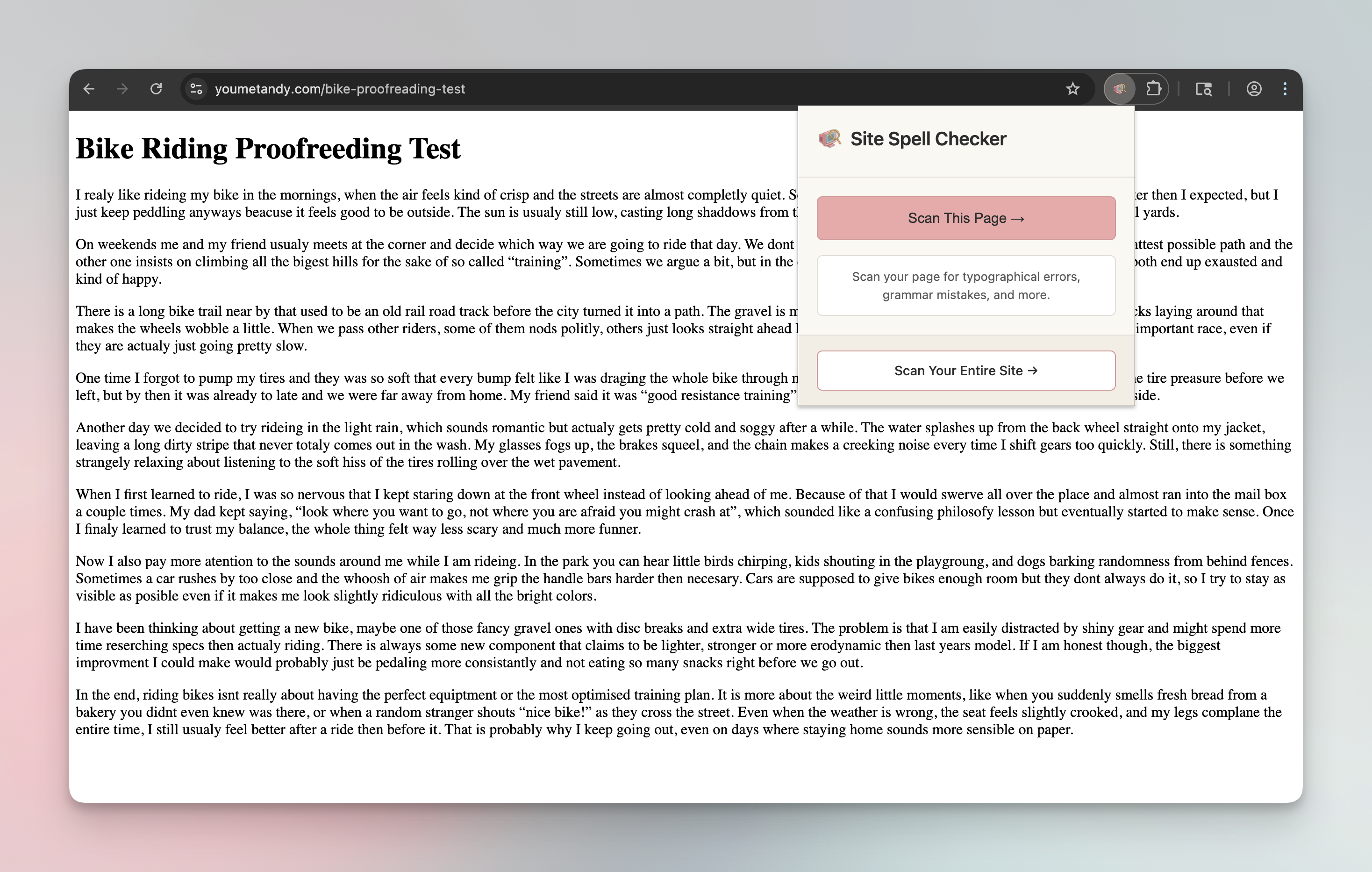
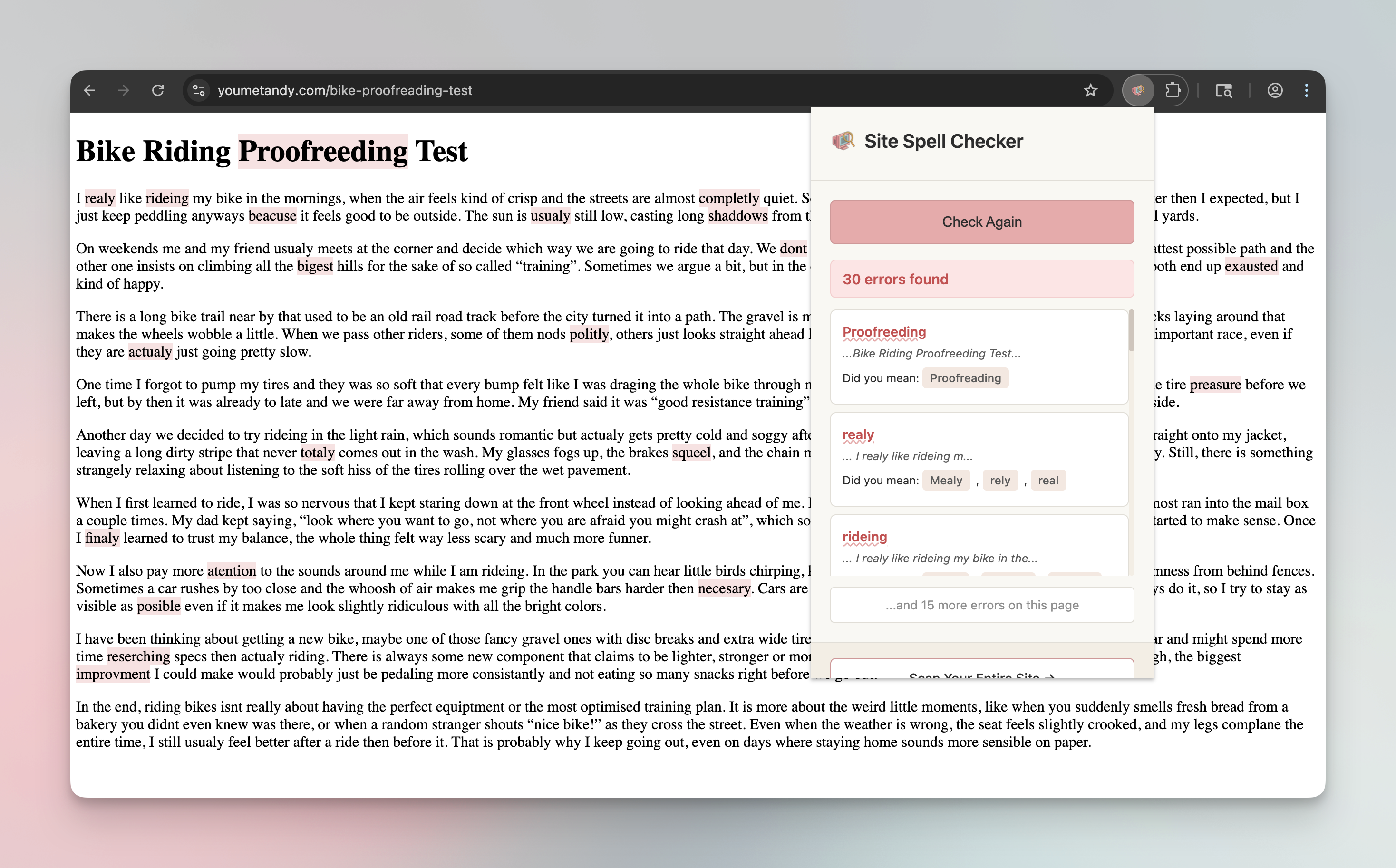
The extension keeps the workflow simple: run a check, review highlighted issues on the page, and use the popup to work through suggested fixes. It is a strong fit for marketers, editors, and developers who need fast feedback inside the browser.
When the job shifts from "check this page" to "review this entire site," the browser extension hands off cleanly to the main Site Spell Checker product.
Use the extension for quick checks inside Chrome. Use the web app when you need broader coverage and a report you can work from later.
| Category | Chrome extension | Web app |
|---|---|---|
| Coverage | One live page at a time while browsing. | Crawls an entire site and checks many pages in one run. |
| Best use | Fast QA, demos, approvals, and spot checks. | Audits, recurring reviews, exports, and team workflows. |
| Output | Inline highlights plus popup suggestions. | Structured results, reports, and downloadable exports. |
| Setup | Runs inside Chrome on the page you already have open. | Submit a URL and let the scanner crawl the site. |
Not yet. For now, installation runs through the GitHub repo and Chrome's "Load unpacked" flow.
It checks the page currently open in Chrome, highlights likely spelling issues on the page, and shows suggestions in the extension popup.
The extension is for quick page-level review while you browse. The main app is for scanning whole sites, reviewing larger batches of issues, and sharing results.
Yes. The GitHub repo includes the files needed to install the extension locally in Chrome.
Get complete spelling analysis across your entire website with our AI-powered technology.
Advanced AI ensures highly accurate spelling suggestions and corrections.
Keep your website error-free with automated daily spell checks.
"I found a misspelled word on our e-commerce site that's been there for years... how embarrassing!"
Sarah K.
Marketing Director
"It's like Grammarly for websites!"
Michael R.
Web Developer
"Finally, a tool that helps maintain our brand's professionalism across all our web content."
Alex T.
Brand Manager